Skip to content

Fix: return to recipient list on back during Send to someone flow - #99148

Draft
MelvinBot wants to merge 1 commit into
mainfrom
claude-sendToSomeoneBackNavigation
Draft

Fix: return to recipient list on back during Send to someone flow#99148
MelvinBot wants to merge 1 commit into
mainfrom
claude-sendToSomeoneBackNavigation

Conversation

@MelvinBot

Copy link
Copy Markdown
Contributor

Explanation of Change

Deploy blocker fix for the "Send to someone" flow on a tracked expense.

When you open a tracked expense → MoreSend to someone, pick a recipient, then press the back button on the confirmation page, you were dropped back on the report instead of the recipient list.

Root cause: "Send to someone" creates a converted track-expense draft (so transaction.isFromGlobalCreate is false) and reaches the confirmation page by replacing the recipient picker in the RHP stack. The confirmation page's navigateBack only reconstructs the participants route when isFromGlobalCreate is truthy; for this flow it falls through to navigateToStartMoneyRequestStep, which for a SUBMIT action runs a bare Navigation.goBack(). Because the picker was already replaced, that pops the whole RHP to the underlying report.

Fix: In useParticipantSubmission.goToNextStep, pass an explicit backTo (the recipient-picker route, via Navigation.getActiveRoute()) when building the confirmation route for the converted-track SUBMIT case. This reuses the exact mechanism already used for the SHARE action, so the confirmation back button now takes the if (backTo) branch and returns to the recipient list. The change is scoped with action === SUBMIT && !isFromGlobalCreate, so global-create, categorize, split, and pay flows are untouched. The same fix also covers the Inbox track-expense whisper's "Submit it to someone" flow, which shares this code path.

Fixed Issues

$ #99145
PROPOSAL:

Tests

  • Verify that no errors appear in the JS console

Offline tests

QA Steps

// TODO: These must be filled out, or the issue title must include "[No QA]."

  • Verify that no errors appear in the JS console

PR Author Checklist

  • I linked the correct issue in the ### Fixed Issues section above
  • I wrote clear testing steps that cover the changes made in this PR
    • I added steps for local testing in the Tests section
    • I added steps for the expected offline behavior in the Offline steps section
    • I added steps for Staging and/or Production testing in the QA steps section
    • I added steps to cover failure scenarios (i.e. verify an input displays the correct error message if the entered data is not correct)
    • I turned off my network connection and tested it while offline to ensure it matches the expected behavior (i.e. verify the default avatar icon is displayed if app is offline)
    • I tested this PR with a High Traffic account against the staging or production API to ensure there are no regressions (e.g. long loading states that impact usability).
  • I included screenshots or videos for tests on all platforms
  • I ran the tests on all platforms & verified they passed on:
    • Android: Native
    • Android: mWeb Chrome
    • iOS: Native
    • iOS: mWeb Safari
    • MacOS: Chrome / Safari
  • I verified there are no console errors (if there's a console error not related to the PR, report it or open an issue for it to be fixed)
  • I followed proper code patterns (see Reviewing the code)
    • I verified that comments were added to code that is not self explanatory
    • I verified that any new or modified comments were clear, correct English, and explained "why" the code was doing something instead of only explaining "what" the code was doing.
    • I verified any copy / text that was added to the app is grammatically correct in English. It adheres to proper capitalization guidelines (note: only the first word of header/labels should be capitalized), and is either coming verbatim from figma or has been approved by marketing (in order to get marketing approval, ask the Bug Zero team member to add the Waiting for copy label to the issue)
  • If a new code pattern is added I verified it was agreed to be used by multiple Expensify engineers
  • I followed the guidelines as stated in the Review Guidelines
  • I tested other components that can be impacted by my changes (i.e. if the PR modifies a shared library or component like Avatar, I verified the components using Avatar are working as expected)
  • If a new CSS style is added I verified that:
    • A similar style doesn't already exist
    • The style can't be created with an existing StyleUtils function (i.e. StyleUtils.getBackgroundAndBorderStyle(theme.componentBG))
  • If new assets were added or existing ones were modified, I verified that:
    • The assets are optimized and compressed (for SVG files, run npm run compress-svg)
    • The assets load correctly across all supported platforms.
  • If the PR modifies code that runs when editing or sending messages, I tested and verified there is no unexpected behavior for all supported markdown - URLs, single line code, code blocks, quotes, headings, bold, strikethrough, and italic.
  • If the PR modifies a generic component, I tested and verified that those changes do not break usages of that component in the rest of the App (i.e. if a shared library or component like Avatar is modified, I verified that Avatar is working as expected in all cases)
  • If the PR modifies a component related to any of the existing Storybook stories, I tested and verified all stories for that component are still working as expected.
  • If the PR modifies a component or page that can be accessed by a direct deeplink, I verified that the code functions as expected when the deeplink is used - from a logged in and logged out account.
  • If the PR modifies the UI (e.g. new buttons, new UI components, changing the padding/spacing/sizing, moving components, etc) or modifies the form input styles:
    • I verified that all the inputs inside a form are aligned with each other.
    • I added Design label and/or tagged @Expensify/design so the design team can review the changes.
  • I added unit tests for any new feature or bug fix in this PR to help automatically prevent regressions in this user flow.
  • If the main branch was merged into this PR after a review, I tested again and verified the outcome was still expected according to the Test steps.

Screenshots/Videos

Android: Native
Android: mWeb Chrome
iOS: Native
iOS: mWeb Safari
MacOS: Chrome / Safari

Co-authored-by: Kevin Brian Bader <ikevin127@users.noreply.github.com>
@MelvinBot
MelvinBot requested a review from a team August 21, 2026 05:52
@melvin-bot melvin-bot Bot added Melvin-Test-Android Melvin-Test-Web Triggers Melvin to run the testing steps of the PR on web labels Aug 21, 2026
@MelvinBot

Copy link
Copy Markdown
Contributor Author

I created this PR from an upstream branch since you don't have push access to Expensify/App and I couldn't find a fork to push to.

To take ownership of this branch and be able to push updates from your own fork, run:

git remote add upstream https://github.com/Expensify/App.git
git fetch upstream claude-sendToSomeoneBackNavigation
git checkout -b claude-sendToSomeoneBackNavigation upstream/claude-sendToSomeoneBackNavigation
git push -u origin claude-sendToSomeoneBackNavigation

Then you can close this PR and open a new one from your fork. Otherwise, an Expensify engineer with write access can push directly to this upstream branch.

@codecov

codecov Bot commented Aug 21, 2026

Copy link
Copy Markdown

Codecov Report

✅ Changes either increased or maintained existing code coverage, great job!

Files with missing lines Coverage Δ
src/hooks/useParticipantSubmission.ts 0.00% <0.00%> (ø)
... and 10 files with indirect coverage changes

@MelvinBot

Copy link
Copy Markdown
Contributor Author

🤖 Android test blocked — could not verify the fix

I ran the PR's repro flow on Android twice (including a full app force-stop + relaunch on the second attempt), but hit a confirmed environment blocker before ever reaching the code path this PR changes. The fix in useParticipantSubmission.ts remains unverified on Android.

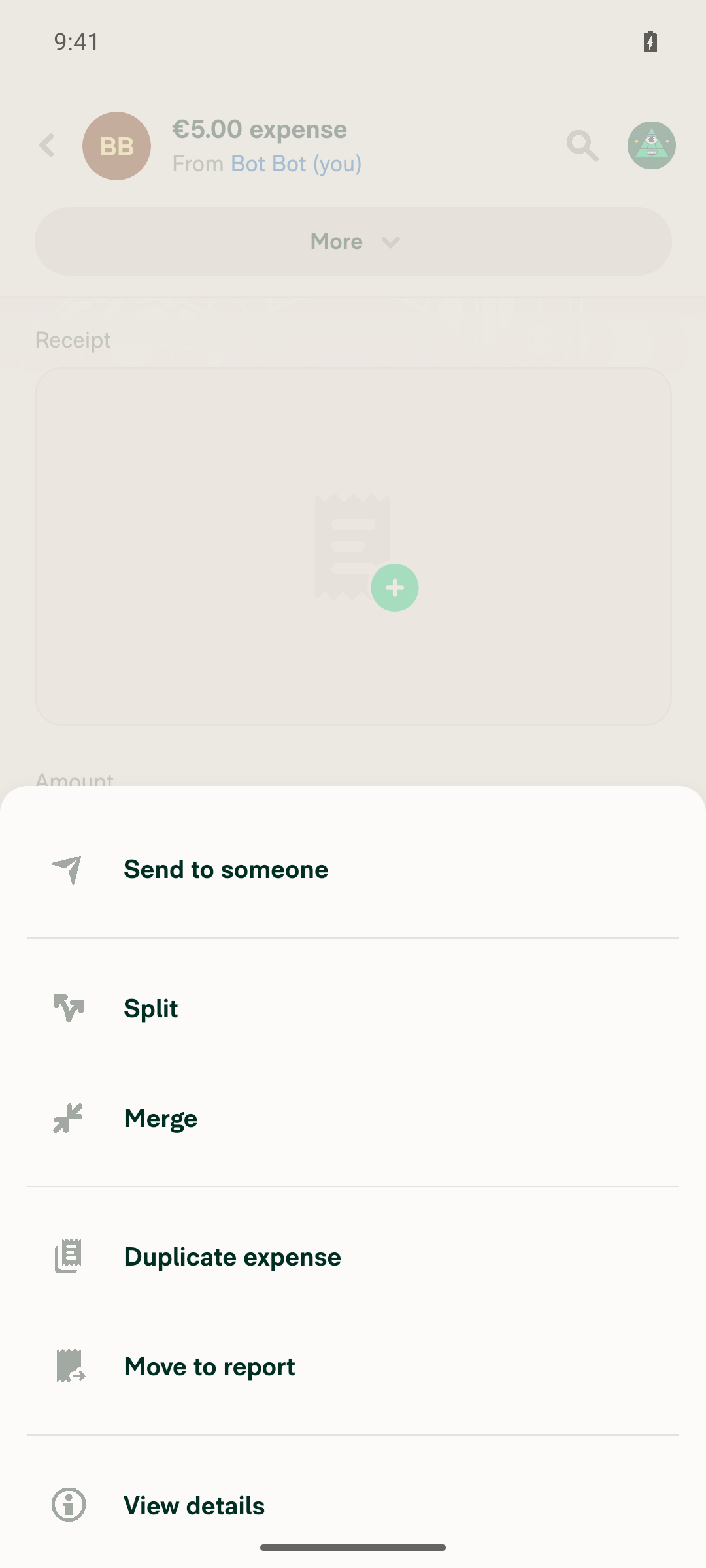
What happened: In the Self DM I created a €5.00 manual expense, opened it, and tapped More. The popover opened correctly (showing "Send to someone", "Split", "Merge", etc.), but tapping any item froze the popover — no navigation, no dismissal, no UI change. This wasn't specific to "Send to someone": tapping "Merge" as a control failed identically, so the whole popover was frozen. The JS bridge and Metro were confirmed alive (Pusher pings continued, Metro idle/running), so this looks like an overlay/input glitch in the emulator run rather than the PR's change — the recipient list never rendered, so the confirmation-page back-navigation logic was never exercised.

Both runs reproduced the same freeze, so I stopped rather than iterate further.

Step Result
Create manual expense in Self DM ✅ Pass
Open expense → tap More (popover opens) ✅ Pass
Tap Send to someone (and control: Merge) ❌ Popover frozen, no response
Select recipient from list ❌ Never reached
Back on confirm page returns to recipient list (the fix) ❌ Never reached

Next steps: This needs a manual Android verification (or a re-run once the emulator overlay issue clears). To retry with me, reply @MelvinBot run the testing steps on Android again.

Evidence (frozen "More" popover)

Screenshots taken minutes apart across many recovery attempts (re-tapping, coordinate taps, back/scroll/longpress, backdrop tap) were pixel-identical, showing the popover never dismissed.
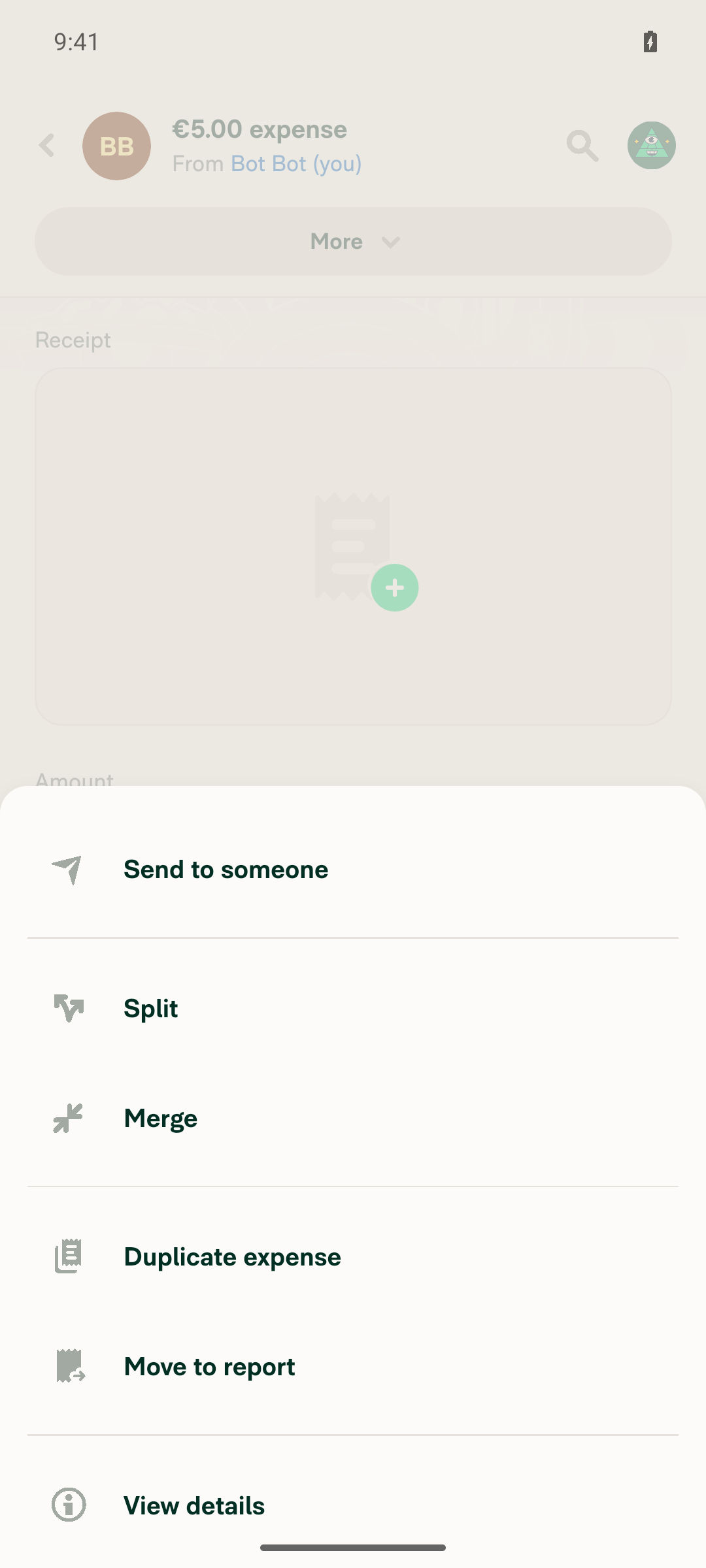
More popover with Send to someone visible, frozen after tap (post-relaunch retry) Same frozen popover minutes later after many recovery attempts (first run)

view run

@MelvinBot

Copy link
Copy Markdown
Contributor Author

🤖 Web test: ✅ PASS — the fix works as intended.

I ran the PR's repro flow on Web (dev NewDot). Pressing back on the confirmation page during "Send to someone" now correctly returns to the recipient list, not the report.

Step Result
Create manual expense in Self DM ("Your space") ✅ Pass — €234.00 expense created
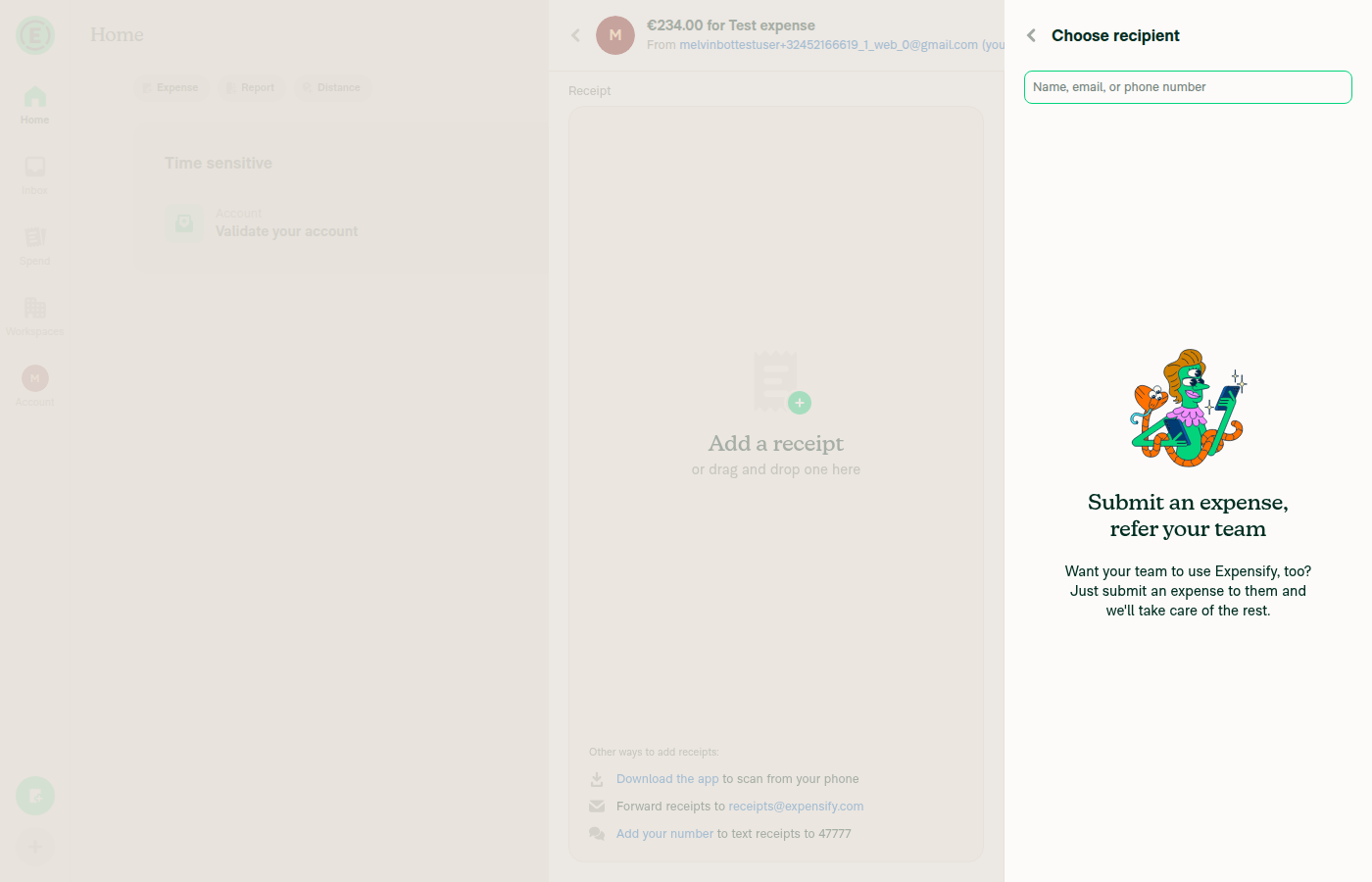
Open expense → MoreSend to someone ✅ Pass — "Choose recipient" screen shown
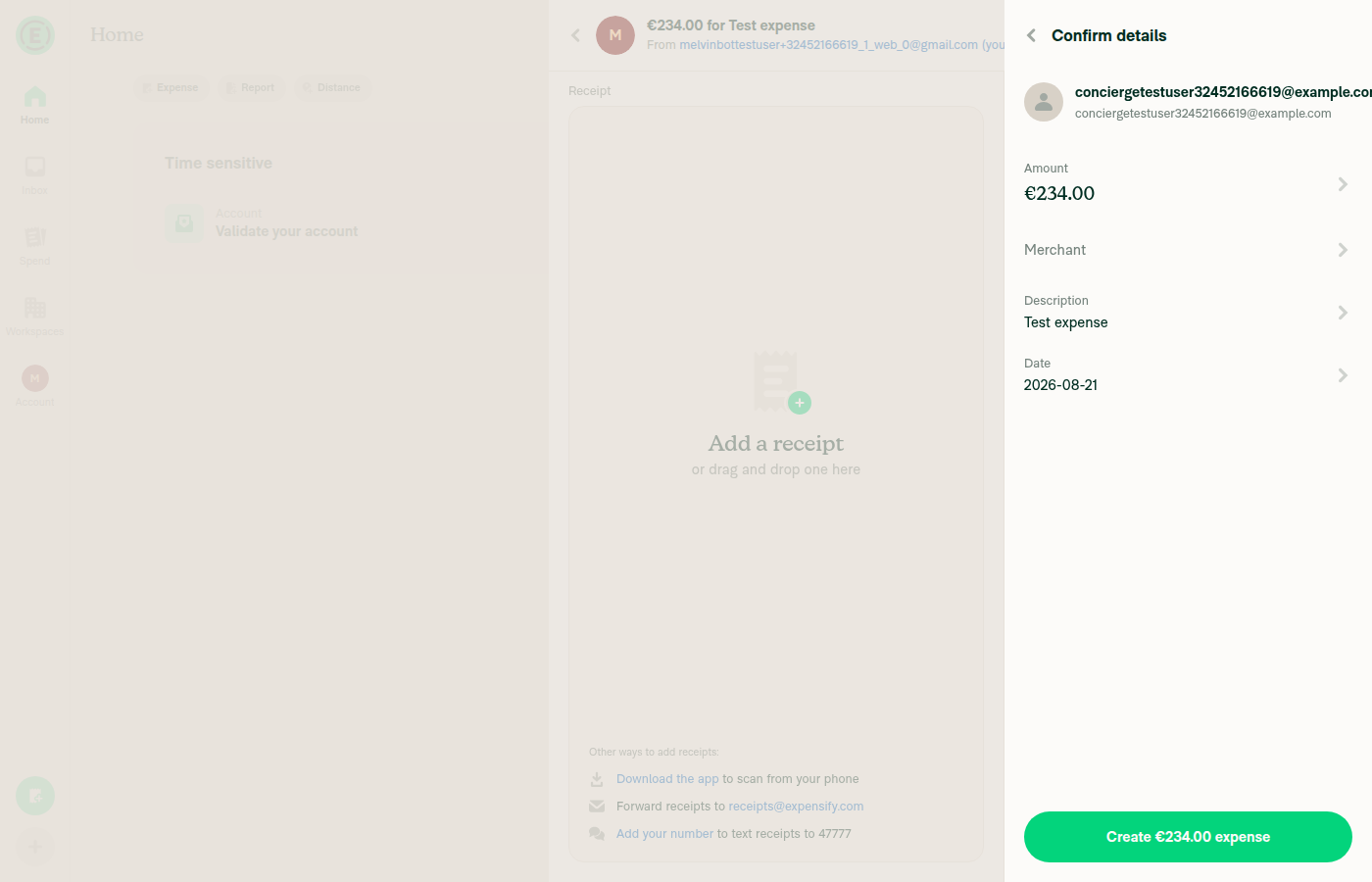
Select a recipient ✅ Pass — "Confirm details" page shown
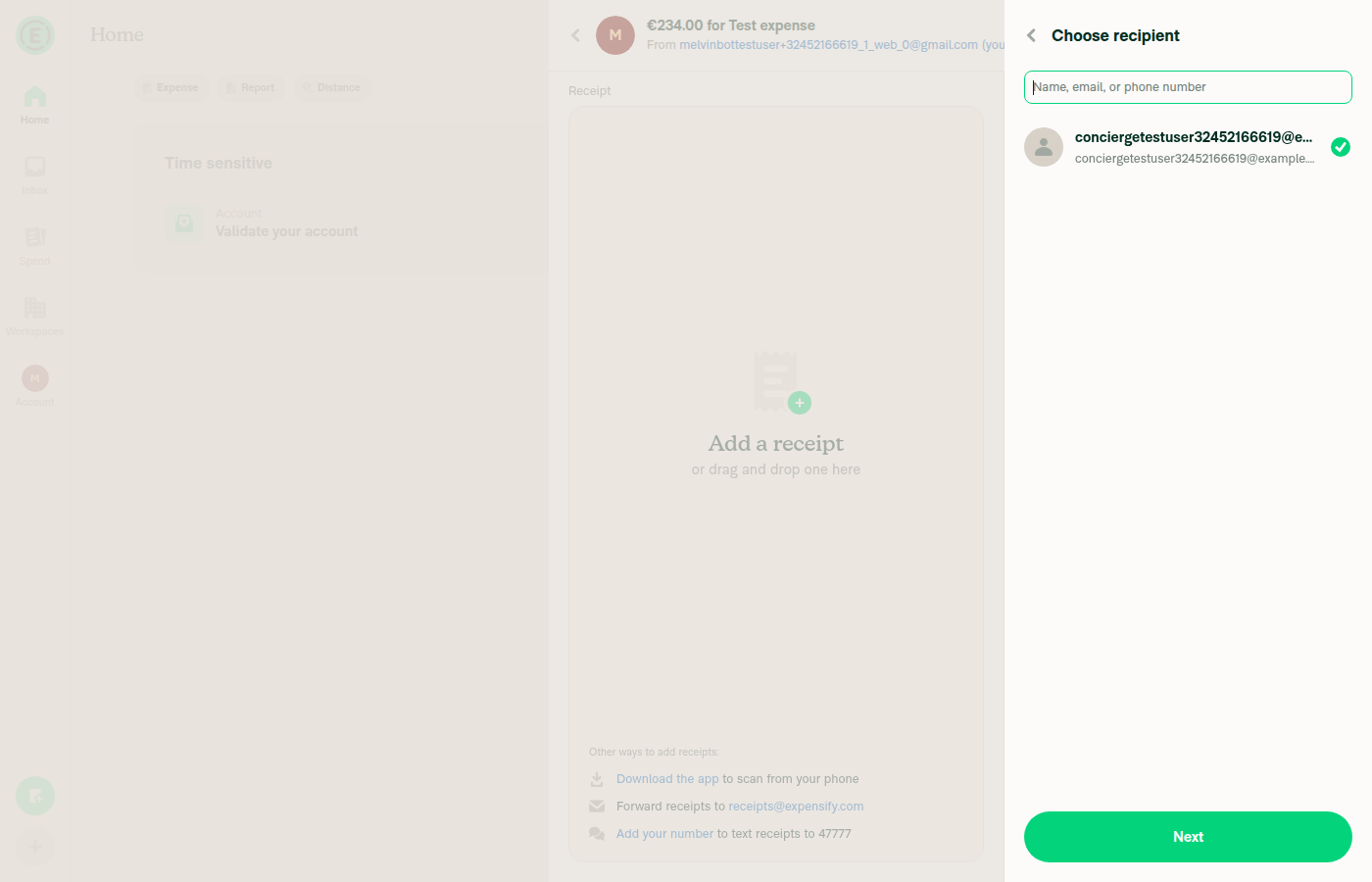
Back on confirm page returns to recipient list (the fix) Pass — landed on "Choose recipient" (selected recipient still checked), NOT the report

No console errors observed.

Screenshots:

Choose recipient list after clicking Send to someone

Confirm details page after selecting a recipient

Pressing back from confirmation correctly returns to the Choose recipient list, not the report


view run

Sign up for free to join this conversation on GitHub. Already have an account? Sign in to comment

Labels

Melvin-Test-Android Melvin-Test-Web Triggers Melvin to run the testing steps of the PR on web

Projects

None yet

Development

Successfully merging this pull request may close these issues.

2 participants